Hide product cards in the fullscreen player
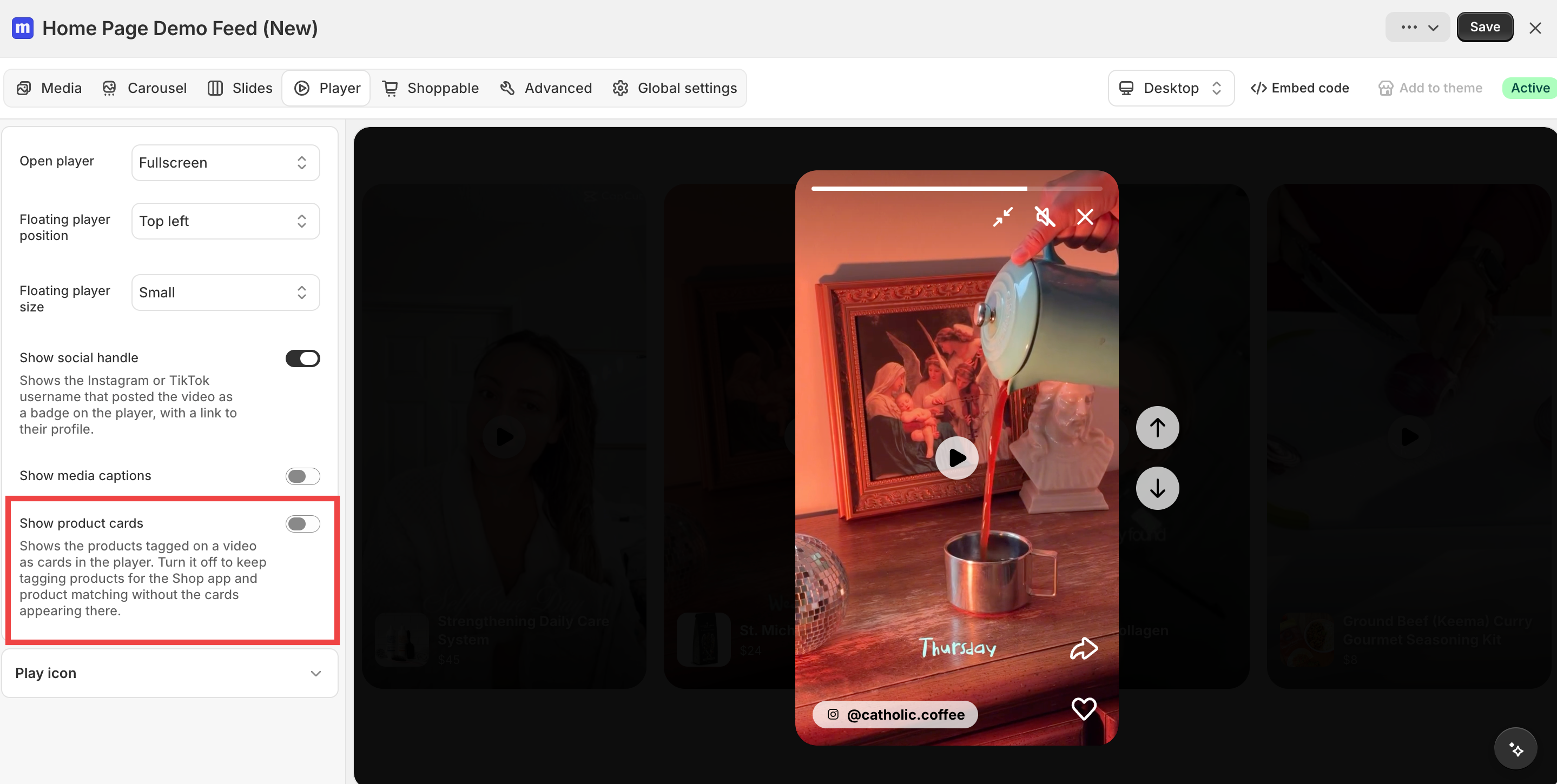
You can now hide product cards in the fullscreen player while keeping your videos tagged. Products stay tagged for the Shop app and product matching for Smart-Auto Match, the cards just don't show in the full screen or floating player.
Find this setting in the Widget Editor → Player and turn off Show product cards. Cards show by default, and the setting is available for every widget type.