
Getting started with Moast Shoppable Video & UGC
Updated 2 weeks ago
By the end of this guide, you'll have shoppable videos on your Shopify store. Follow these simple steps to get started.
Remember, you can always ask for help by clicking the icon at the bottom right of the screen.
1. Add your videos
In the Moast app, go to the Media section.
Click the Add Media button in the top right then choose how you want to upload.
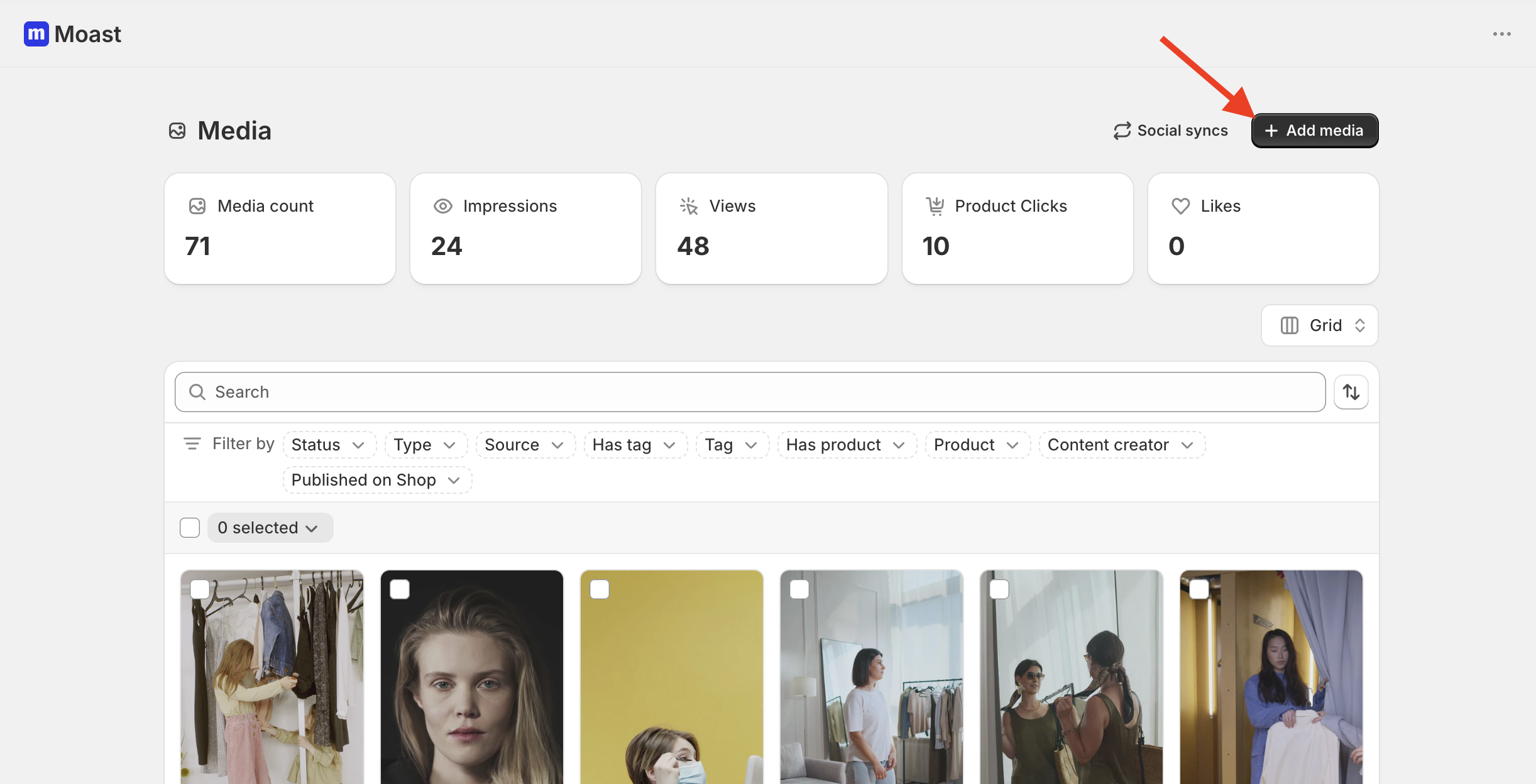
Upload from device: Bulk upload videos or images directly from your device.
Import from Instagram:
Instagram Handle URL: Paste your public Instagram profile URL to pull your latest posts at once. Choose how many posts to import.
Reel URL: Paste the URL of a specific Instagram Reel to import that exact post.
Import by Profile Mentions: Import posts where someone else has tagged or mentioned your Instagram handle.
Import by Hashtag: Enter a hashtag to import posts that include it.
Import from TikTok:
TikTok Profile URL: Paste your public TikTok profile link to pull your latest posts at once. Choose how many posts to import.
Video URL: Paste the link of a specific TikTok video to import just that post.
Mentions: Enter your TikTok handle to import posts from other users who mention your account.
Hashtag: Import posts using a TikTok hashtag.
Import from Shopify Files: Pull images and videos directly from your Shopify Files library. See Import media from Shopify Files for details.
Tip: We recommend adding at least 5 videos to start.
2. Tag your products
Now that your media is uploaded, tag products to make them shoppable.
Go to your Media Library and select a video or image you want to tag.
On the right side under Call to Action, click Tag products.
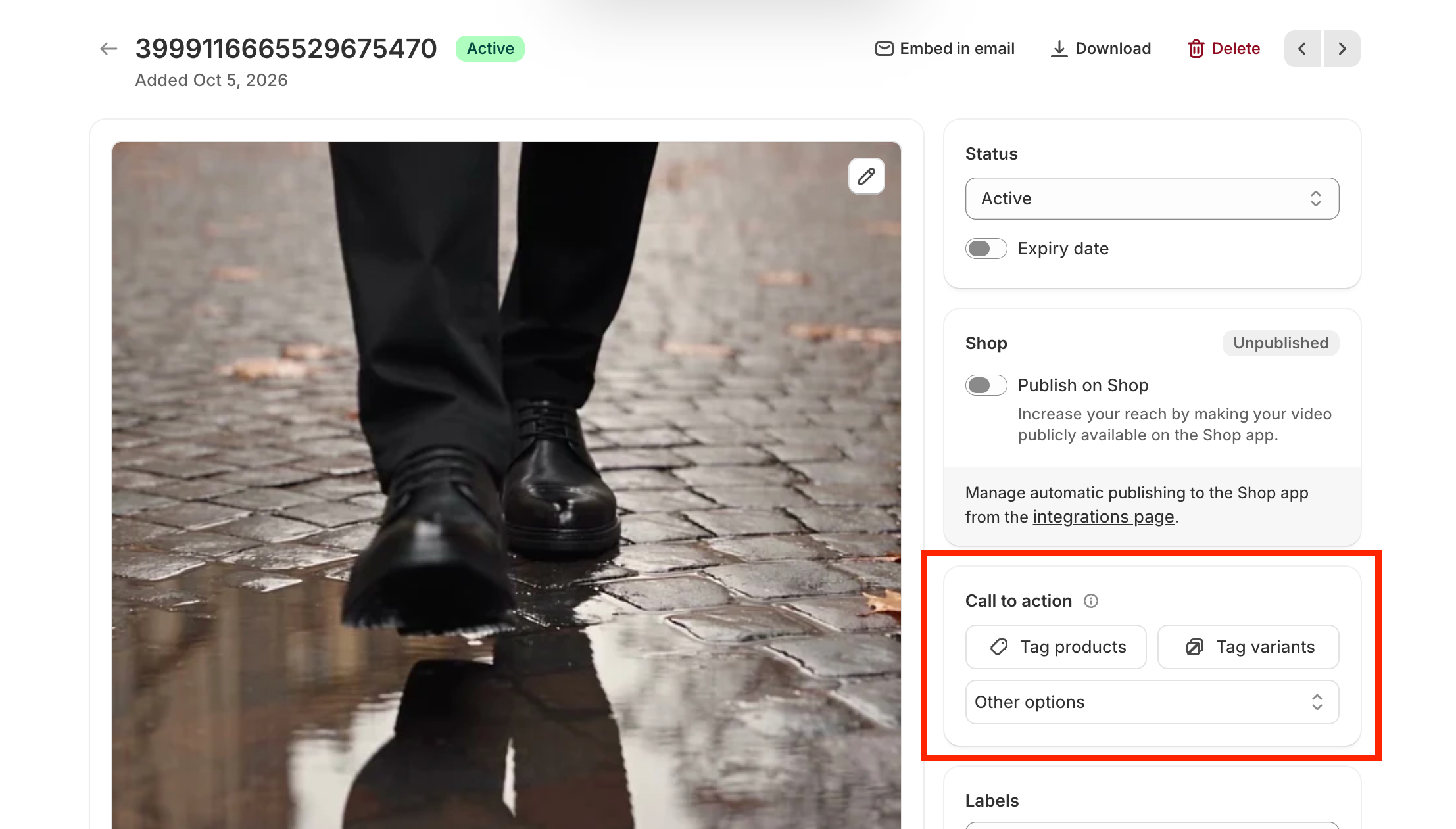
Hit Save, and that's it.
Tip: Tagging products is optional, but it is what makes your media shoppable and helps boost conversions.
3. Create and publish your widget
Go to the Widgets tab, create a widget, and add it to your store.
See How to Use the Widget Editor for the full steps.
Note: You do not need to tag products to add media to your store. You can showcase videos and images without product tags if you just want to display content.