
How to set up Social Syncs
Updated last week
The Social Sync feature automatically imports new content from Instagram and TikTok going forward (every 24 hours), not past posts.
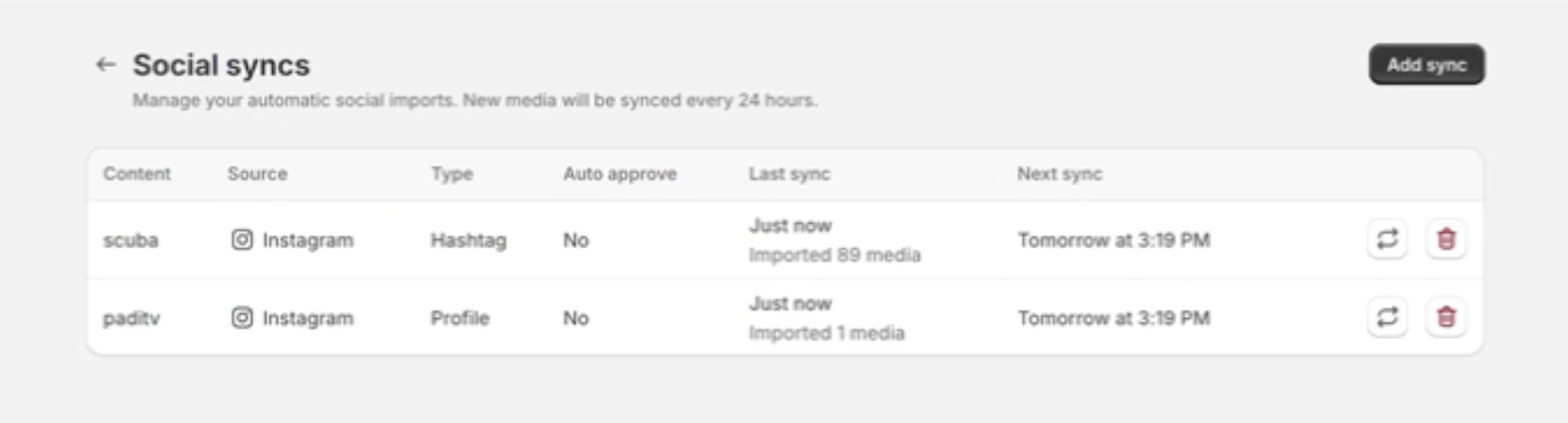
After connecting, Moast scans your socials and imports new posts, profile mentions, and hashtag posts every 24 hours.
To set up a Social Sync: Moast Dashboard > Media > Social Syncs
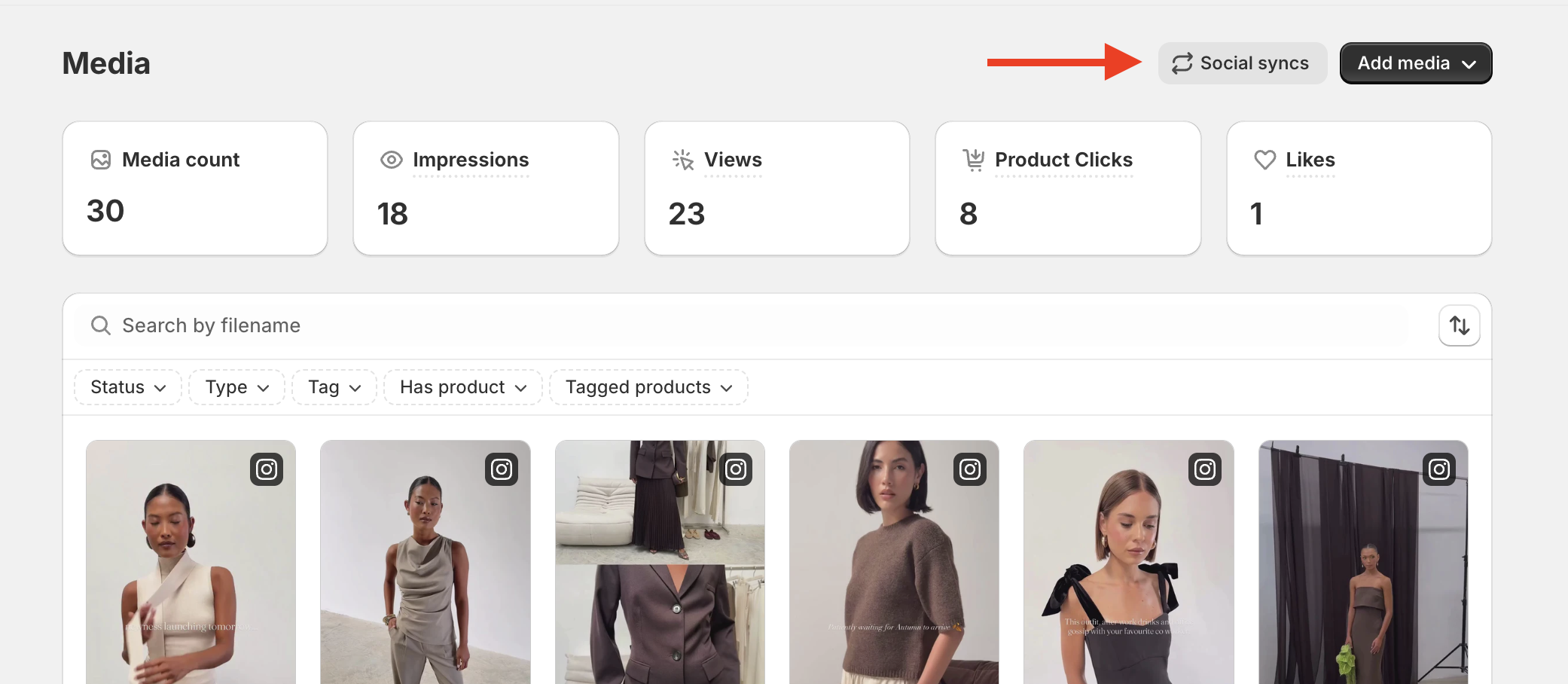
What You Can Sync
Profile sync: Import posts you add in the future (every time you publish).
Profile Mentions: Includes future posts where other accounts tag your profile.
Hashtags: Collects future posts using a specific hashtag you choose.
Each scheduled sync run checks for new results from Instagram or TikTok. Instagram syncs check up to 24 new results per run. TikTok syncs check one new result per run. This applies to profile, profile mention, and hashtag syncs. The limit counts results, not posts: a single result can contain several media items, so the number of imported posts can differ. Manual imports are not affected.
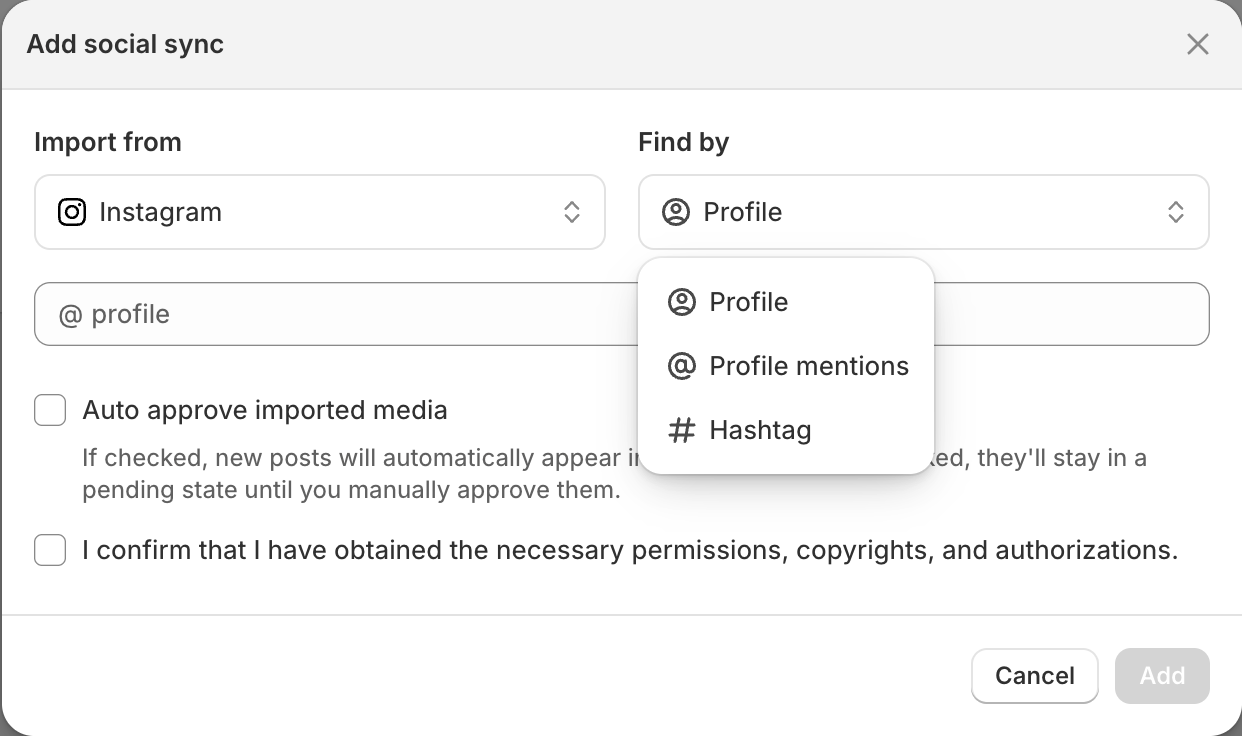
ℹ️ Make sure your profile is public. Private profiles won’t work.
You can create multiple syncs and track them all in one place, making it easy to manage your imported content.
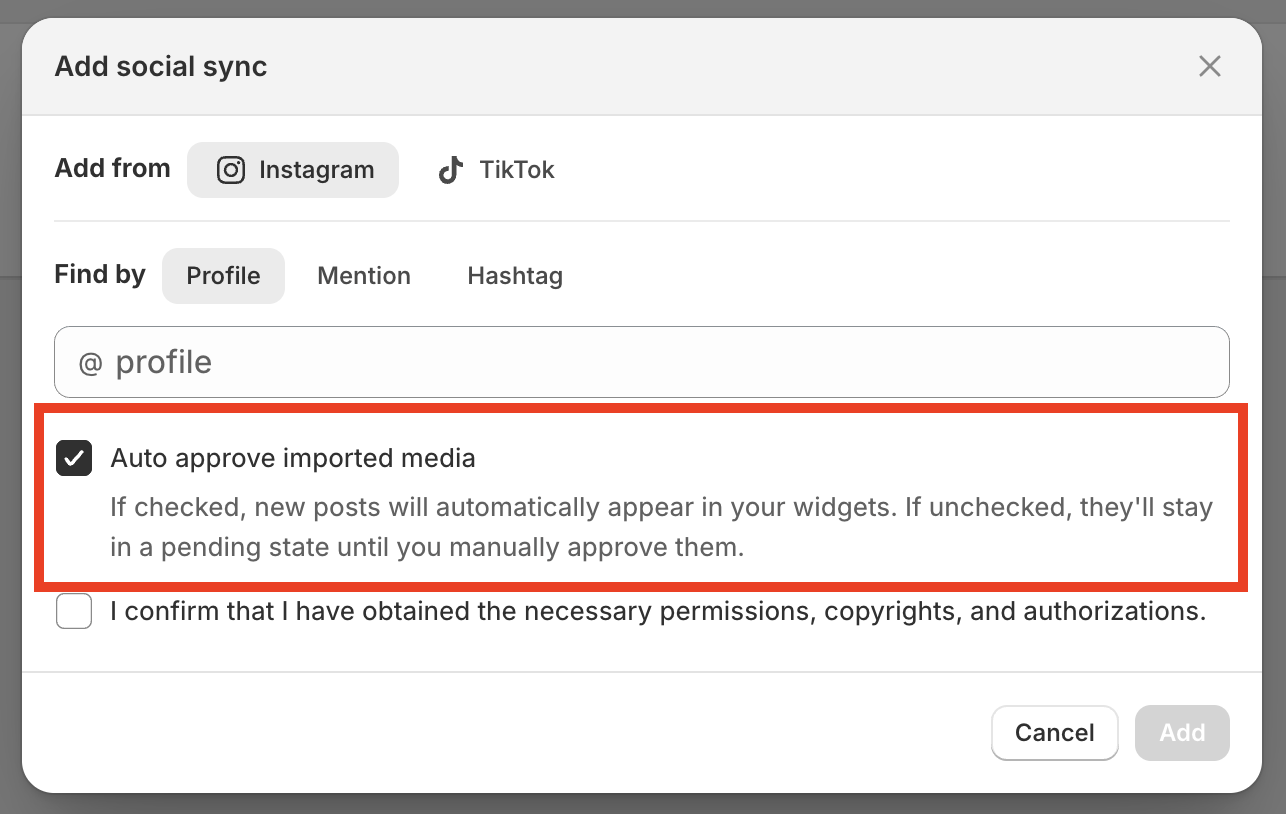
(Optional) Turn on “Auto-approve imported media”
If enabled, posts imported by Social Syncs go straight into widgets. If disabled, imported posts stay pending until you approve them in your media library.
Check your sync's run history
Each sync keeps a history of its runs so you can see what it imported and why something failed. On the Social syncs page, click View run history on a sync to see every run from the last 90 days, newest first.
Status: In progress, Succeeded, Failed, or Replaced. Replaced means a newer run started before this one's results arrived.
Started by: whether the run came from the daily schedule or you started it yourself.
Results: how many posts were imported out of how many were found. If some could not be saved, the count shows that too.
Retries: how many times the run retried.
Details: the reason a run failed, for example "There was an error downloading the content. Please try again in a few minutes."