
Cancel your Moast plan
Updated 3 days ago
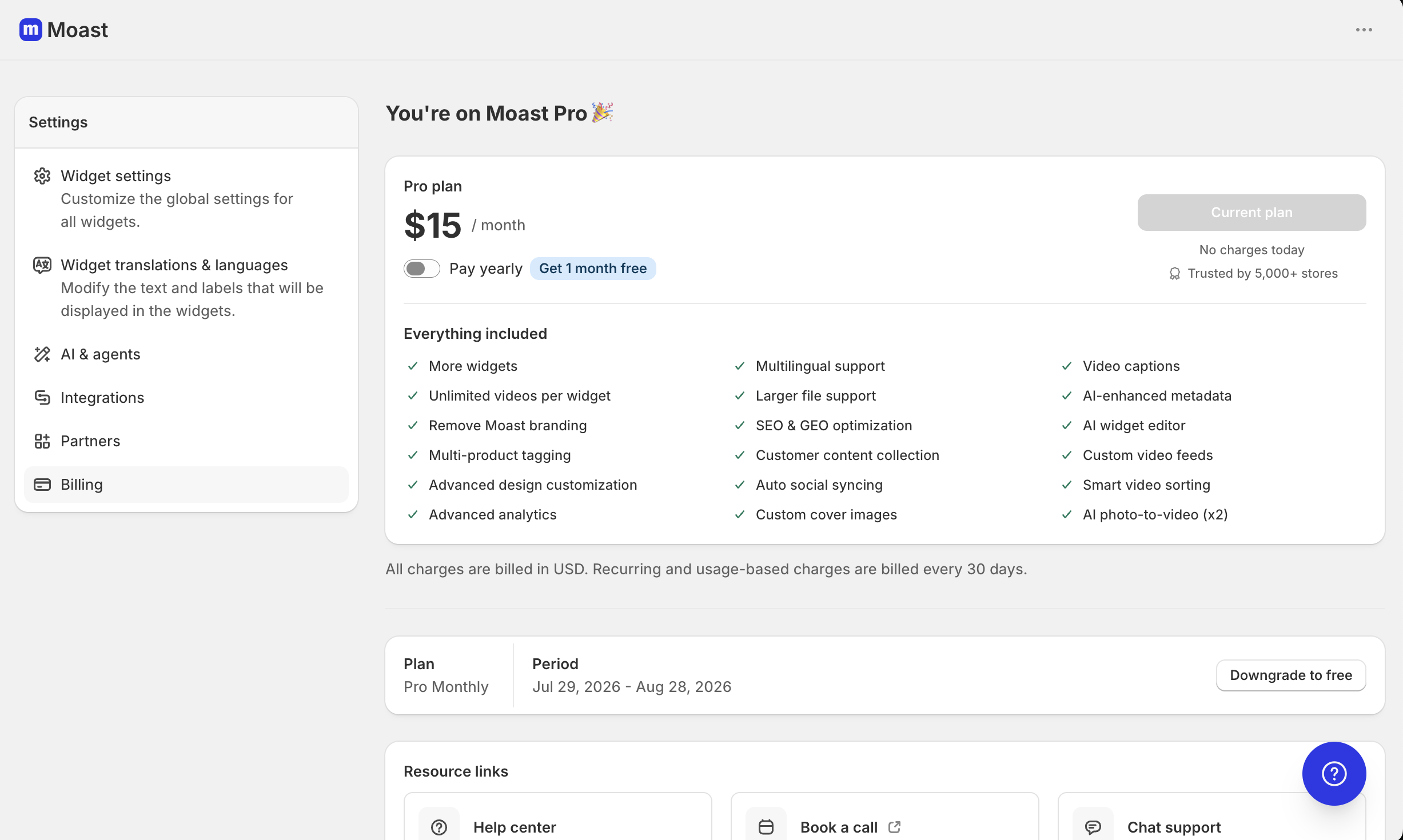
You can cancel Moast by downgrading to the Free plan. Go to Settings > Billing in the Moast app and click Downgrade to free. This stops your Pro plan from renewing, but you keep your Pro features until the end of the paid period you already paid for. After that, Moast moves you to the Free plan. If you want to stop using Moast completely, you can uninstall the app from your Shopify admin instead.
The Free plan is free forever and keeps the basics: unlimited video views, basic uploads, product tagging, and Shop App support.
Downgrade to the Free plan
In the Moast app, go to Settings > Billing.
Click Downgrade to free.
In the confirmation window, click Yes, downgrade. If you change your mind, click Keep Pro active instead.
You are sent back to the Billing settings page. It shows Active until with the date you move to the Free plan. You keep your Pro features until then, and you will not be charged again.
Fees you have already paid are not refunded, and downgrading part way through a billing term does not give you a refund for the rest of that term.
If you cancel a trial before it ends, you keep the Pro features until the trial ends.
Resubscribe to Pro
Changed your mind? After you cancel, the Downgrade to free button is hidden and the plan card shows resubscribe options instead.
In the Moast app, go to Settings > Billing.
Choose monthly or yearly billing.
Click Resubscribe monthly or Resubscribe yearly.
Approve the subscription in Shopify.
You are not charged twice for time you already paid for. The days left on your cancelled plan become free trial days on the new subscription, so billing starts when that time runs out.
Stop using Moast completely
To remove Moast from your store, uninstall the app from your Shopify admin. After you uninstall, your Moast widgets stop showing on your store.
Not sure whether the Free plan covers what you need? See Common questions for a side-by-side comparison of Free and Pro. If something goes wrong when downgrading, send us a message using the chat bubble in the bottom-right corner of the Moast app.