
AI Media Analysis
Updated 3 days ago
Moast can automatically analyze your videos and generate:
Descriptions
Transcriptions
Alt text
This helps search engines and AI platforms understand your content, while saving you time on manual work.
How to turn it on
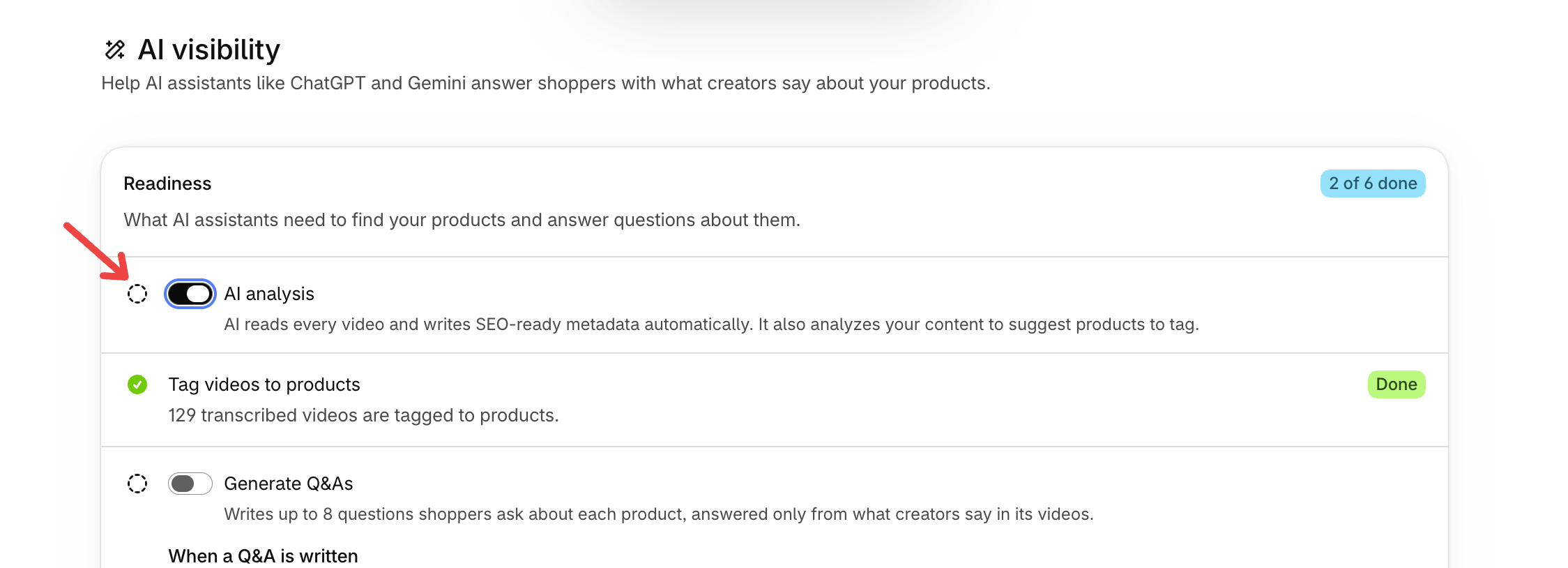
Go to Settings in your Moast dashboard
Open AI & agents
Click Open AI visibility
Turn on AI analysis
Once enabled, AI analysis will run on:
All existing videos in your library
All new videos going forward
Where to find AI analysis
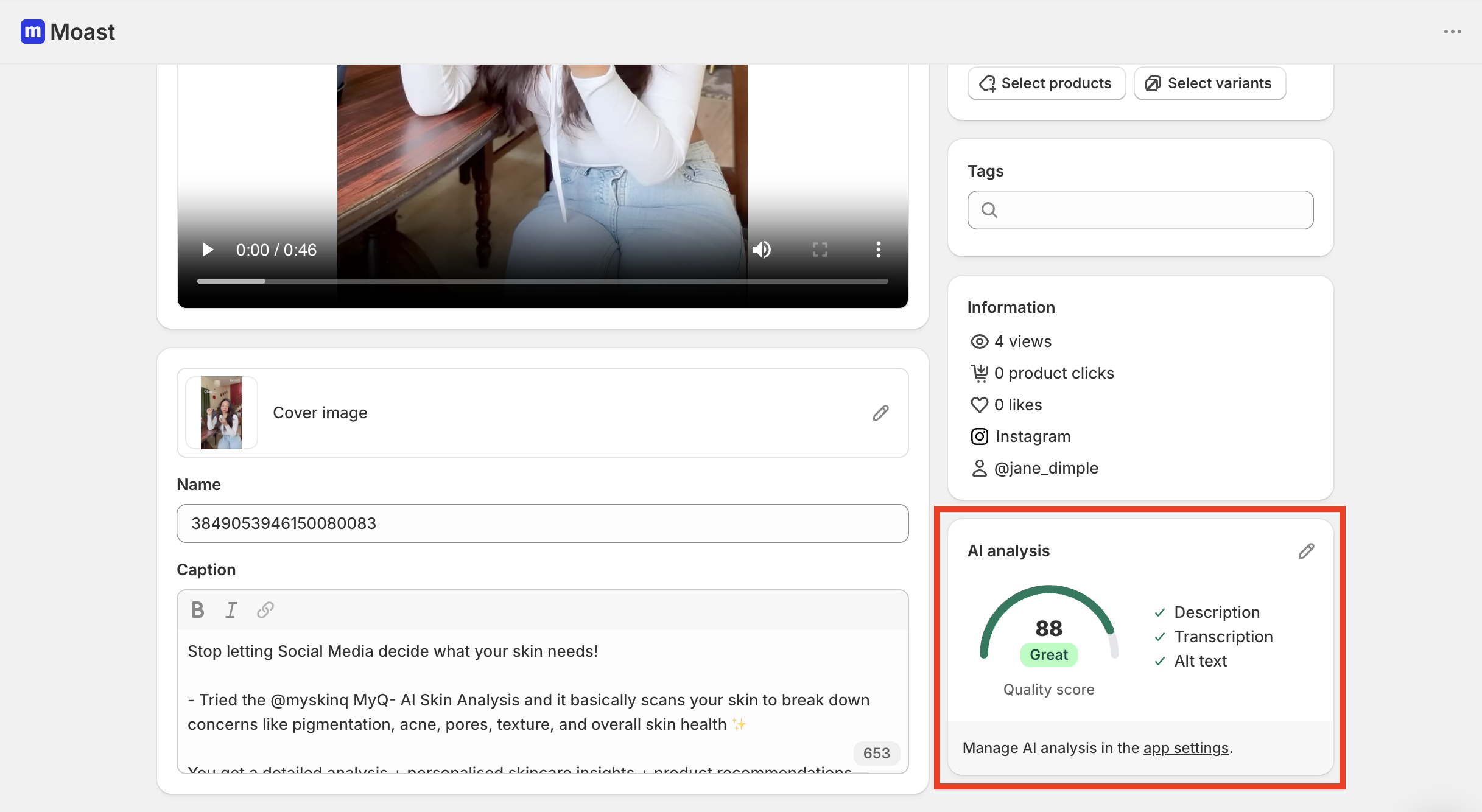
Go to your Media library
Click into a video
Open the AI analysis panel on the right
Here you’ll see:
Description – a summary of your video
Transcription – word-for-word text from the video
Alt text – a short description for accessibility
You can edit any of these and If you want a new version:
Click Regenerate inside the AI analysis panel
This will create a new version of the metadata.
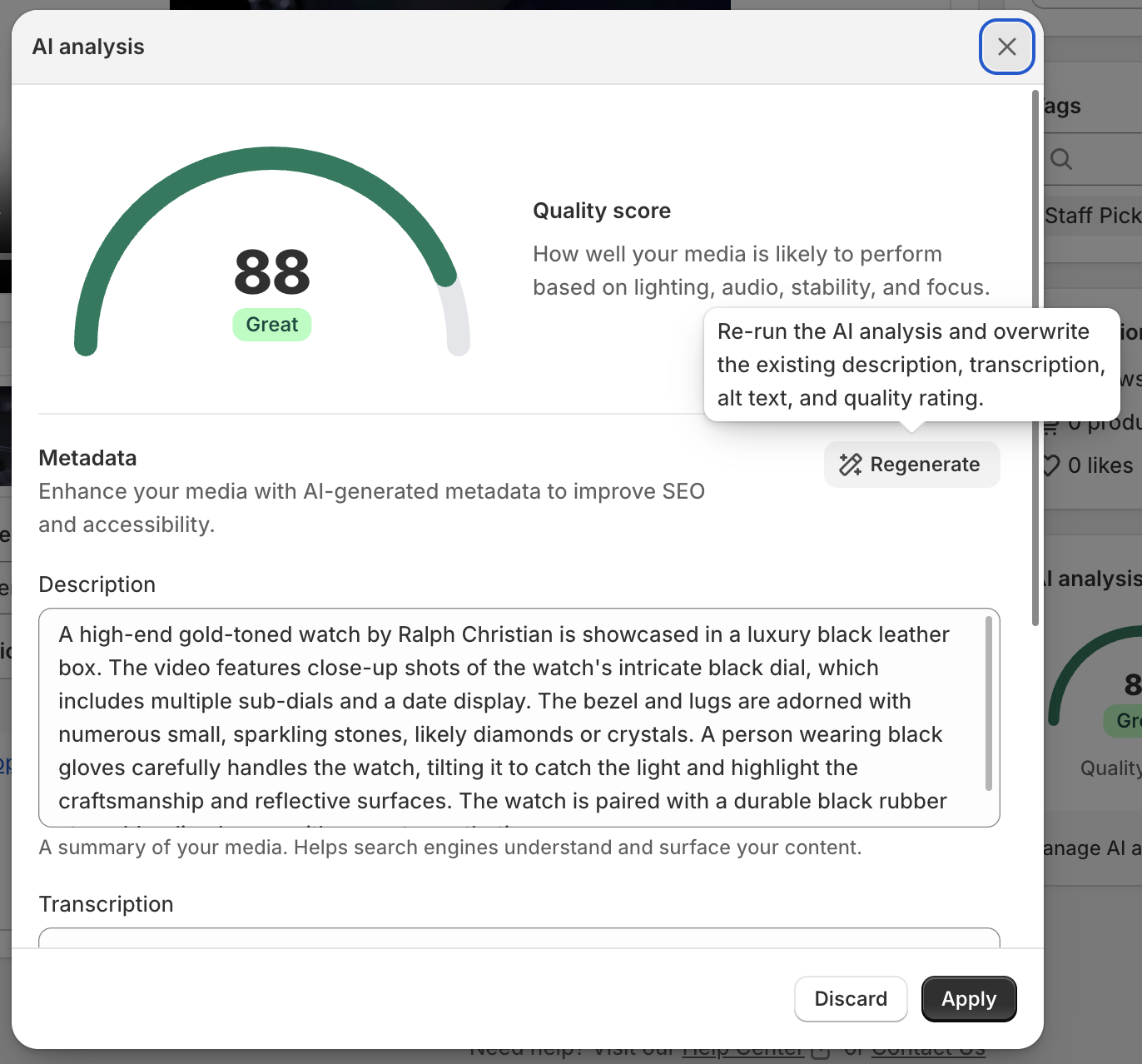
Quality score
Each video gets a quality score based on things like:
Lighting
Audio
Stability
Focus
This score is informational and helps you quickly understand which videos are likely to perform better.
You can use this to decide which videos to feature, reuse, or promote.
Need help? If you have questions, click the chat bubble in the bottom right corner and we’ll help you get set up.
AI analysis also suggests products to tag
After Moast analyzes a video, it can also suggest a product to tag on it, based on what the video shows. The suggestion appears in the Call to action section on the media page, where you can accept it or dismiss it. Moast never tags the product automatically, you decide. This AI-matched suggestion is available on the Pro plan and does not appear during a free trial of Pro. See How to make your videos shoppable.