
How to change button colors in the player
Updated 2 months ago
You can customize the colors of the add-to-cart button in the Moast player. The same button colors are also used for a custom link without an image, which shows as a centered button in your widget.
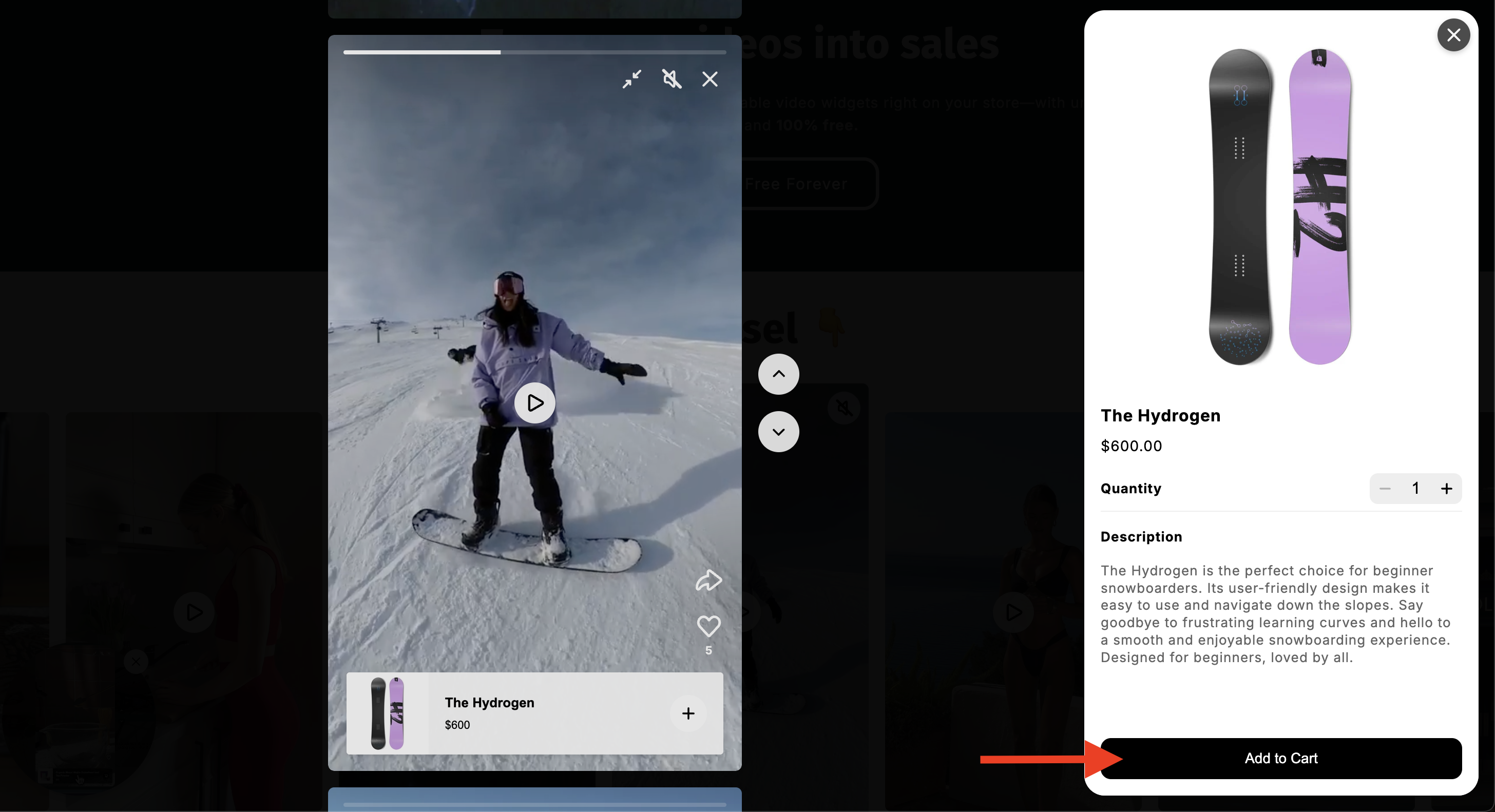
How to Change Button Colors:
Go to your Moast Dashboard.
Navigate to Settings > Widget Settings > Theme Colors.
Update the button background and button text colors to match your store’s branding.
Click 'Save'

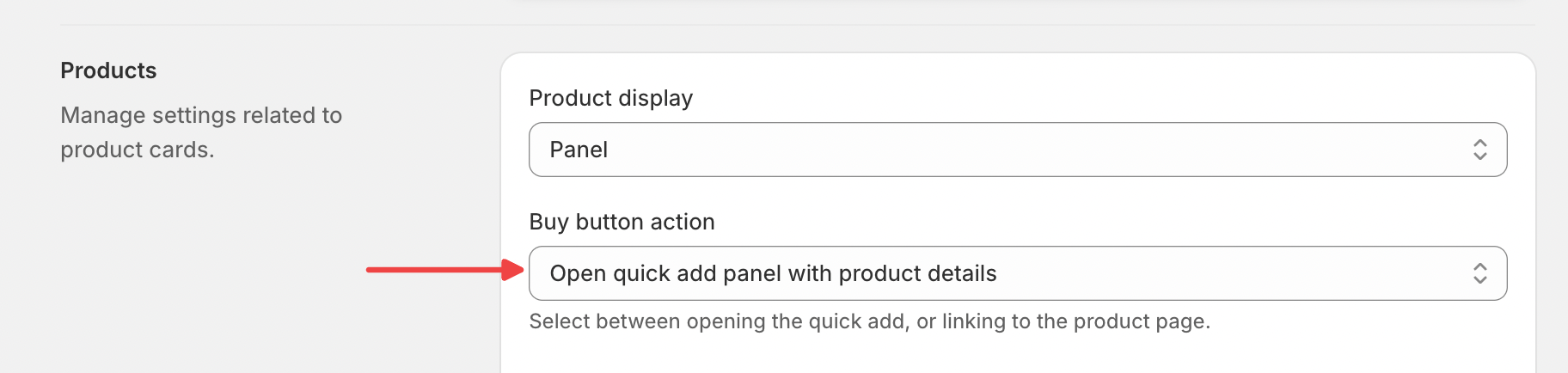
This button only appears if you are using the quick add buy button action in the player. You can find this setting in your Global Widget Settings.
Was this helpful?
Was this helpful?