
How to show product ratings in Moast widgets
Updated last month
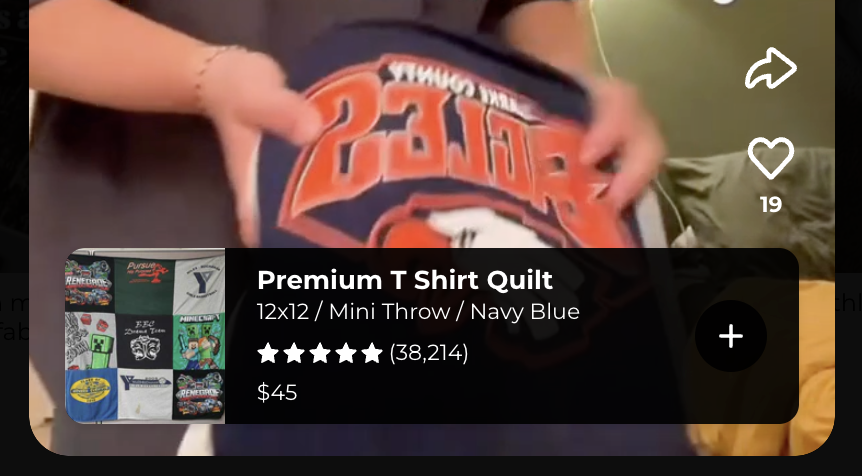
The review integration pulls customer ratings from popular review platforms and displays star ratings below product information on your videos and images.
Supported Review Platforms
Judge.me
Loox
Kudosi (Ali Reviews)
Junip
Ryviu
Air Reviews
Yotpo
Shopify Product Reviews
Any other platform that stores ratings in standard Shopify metafields
How It Works
Data Source: Ratings are pulled from your product metafields where your review apps store rating information.
Display: Star ratings appear below the product details in your Moast widgets.
Updates: Ratings are refreshed periodically to show the latest scores.
Go to your Moast Dashboard
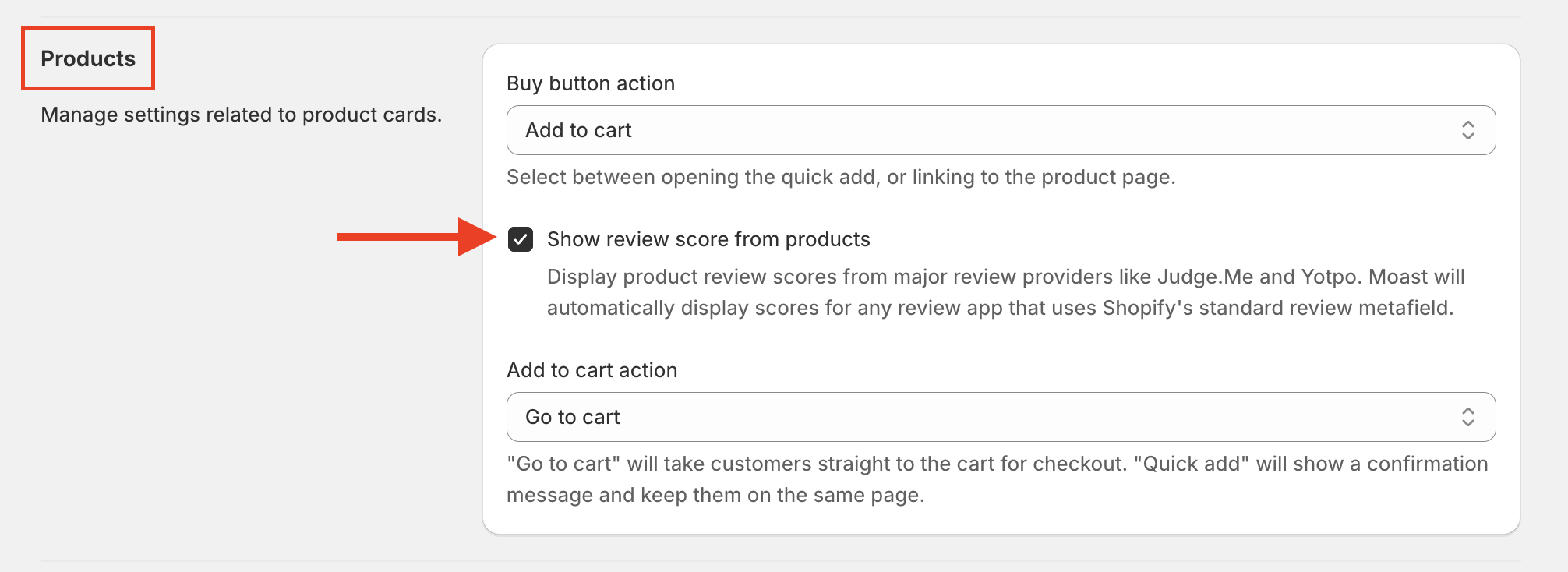
Navigate to: Settings > Widget Settings > Products
Turn on Show star ratings from products.
Your shoppable videos and images will now show product ratings. You can also turn this on from the widget editor by opening the Global settings tab and expanding the Products group.
Show star ratings from products is a Pro setting. On the Free plan you can preview it in the widget editor under Global settings, but the preview is not saved. Without Pro, the same control on the Settings > Widget Settings page stays locked.
Ratings will only appear if your media is tagged with products and those products have ratings.